Whoever picks up the message already has the whole story
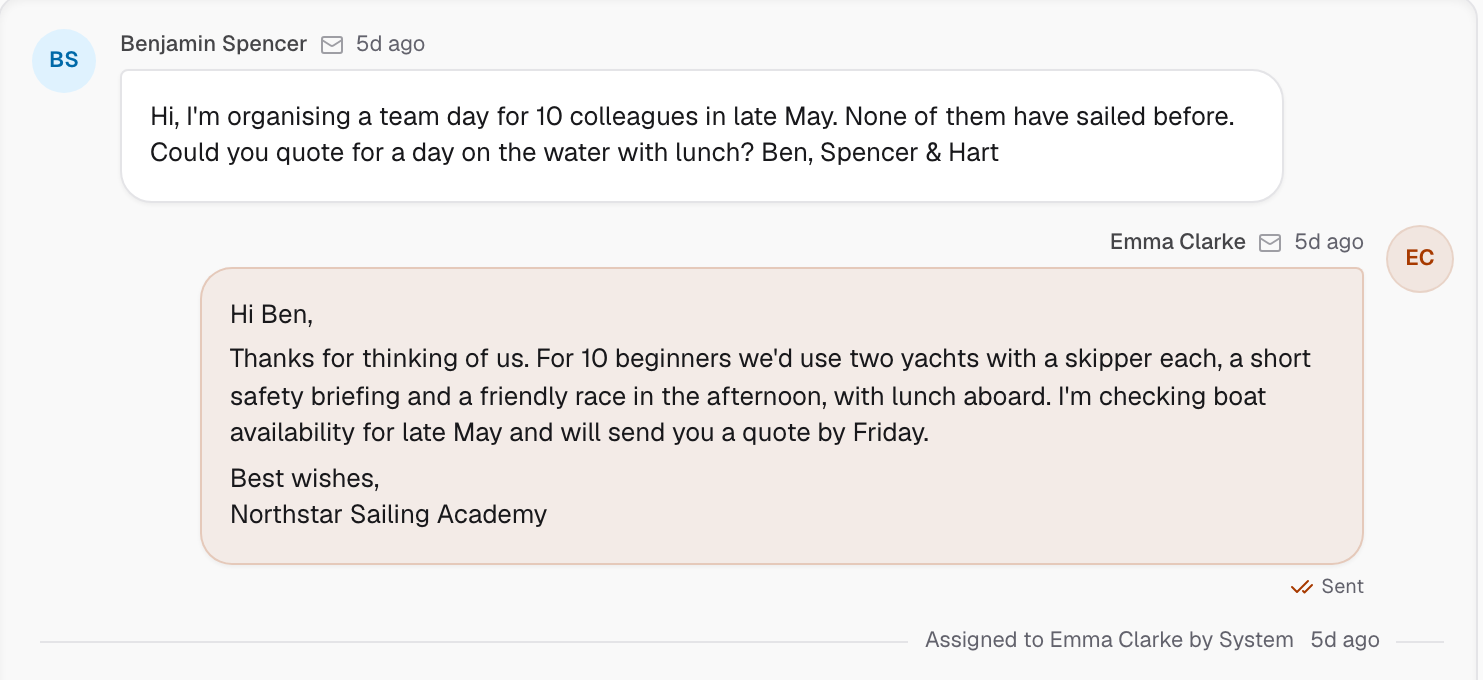
When a student emails or chats about their course, the office sees the message, their bookings, forms and payments on one screen. One shared inbox with assignment, saved replies and reply times. The customer's orders, bookings, forms, messages, notes and tasks sit beside it.
A question asked after the office shuts is waiting for you in the morning
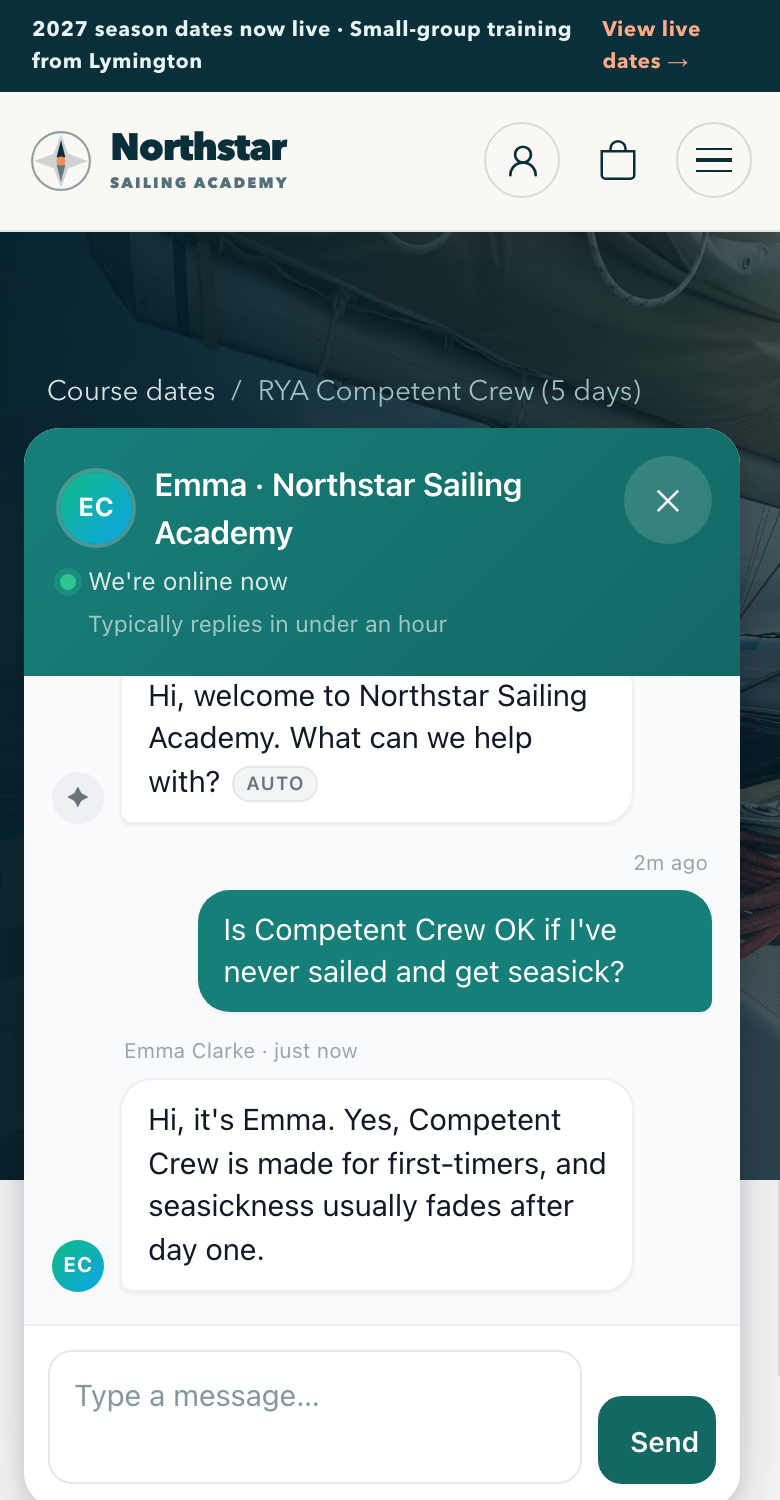
Visitors message you from any page. Your replies reach their phone. Chats land in the same inbox as your email.
12 days before the course
14:10
A visitor asks on your course page
Someone on the Competent Crew page has never sailed and worries about seasickness. Emma is in the office, so she answers in the chat window two minutes later. They never leave the page.
The real screenLive chat on a course page, with the office's reply.
The next morning
09:20
The office answers from the inbox
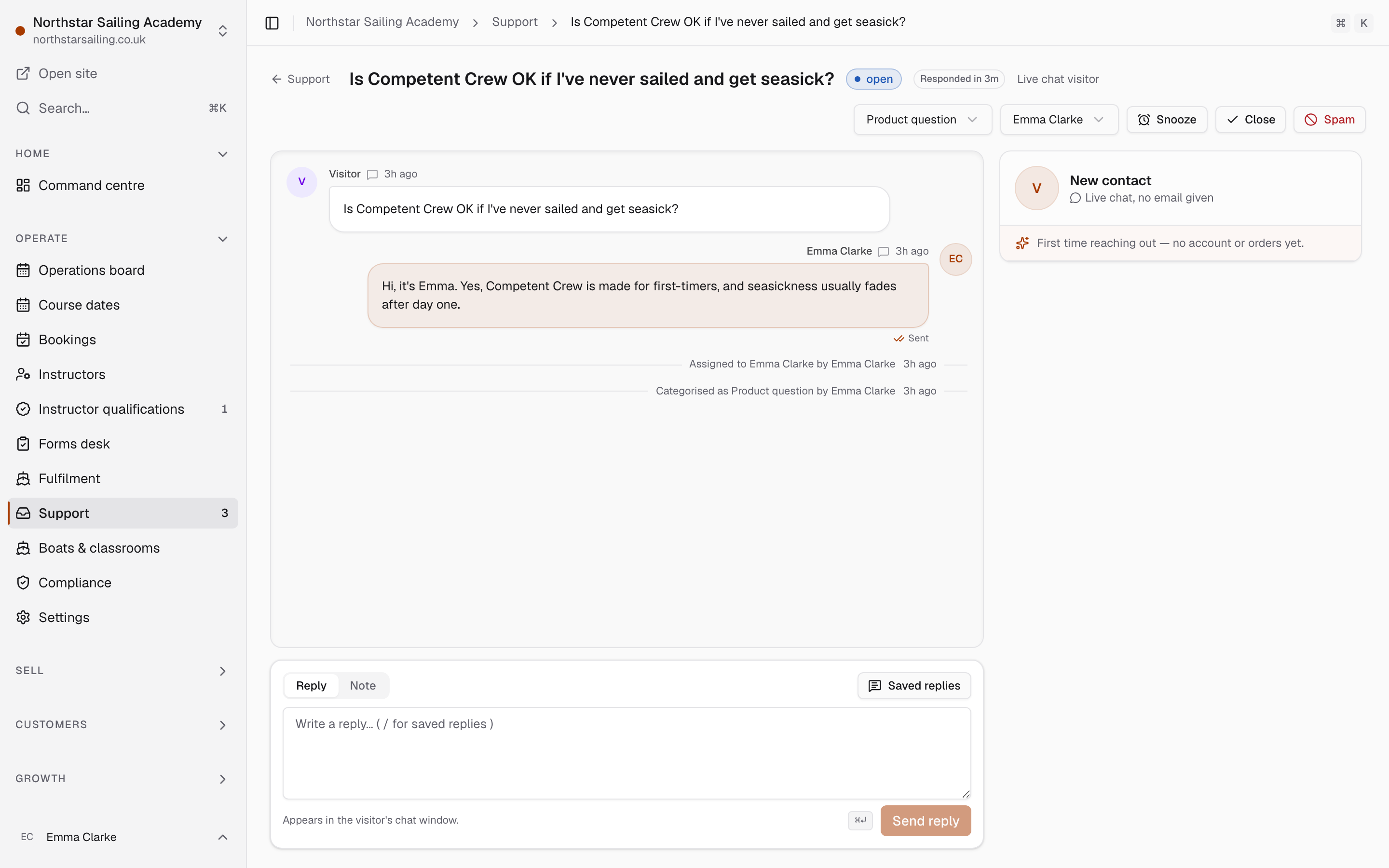
Daniel asked where to park at 21:47, after the office shut. Emma finds his chat in the inbox, with his booking beside it. Her reply reaches his phone, and the chat stays on his record.
The real screenThe same chat in the office inbox, assigned and answered.
Chats and email in one inbox, each on the customer's record.
Automatic emails
Set each email up once. See every one that went out.
Booking confirmations, form reminders, balance reminders, joining instructions, abandoned baskets and follow-ups after the course. For each email you can see who it went to, when, and what set it off.
One Day Skipper booking, and the emails it sets off. The days are examples. You choose the timings and write the wording for your school.
Minutes after booking
0
Booking confirmation, with a link to each person's forms
Days after booking
+2
Form reminder, only to the people who have not finished
Days before day one
−35
Balance reminder, a week before the card is charged
Days before day one
−14
Joining instructions: boat, meeting point and kit list
Days after the last day
+2
Thank you, a review request and the next course to think about
Each email goes out on time, and you can see every one that was sent.
Newsletters
Write to the people a course is right for
Pick who gets each newsletter from what they have bought and booked. Everyone who did Day Skipper theory but has not booked a practical, for example. Keely checks consent and handles unsubscribes for you.
Who gets this newsletter214 people match today
All of these
Bought Day Skipper theoryHas
Booked a Day Skipper practicalHas not
Agreed to marketing emailsHas
Subject: Next season's Day Skipper practical dates are up. Unsubscribe link added to every send. Send Thursday, 09:00.
Reviews
Your reviews on your course pages
If you use Feefo, Keely shows your Feefo reviews on your course pages and keeps them up to date. Or collect your own reviews after each course.
ReviewsLast update 06:00
SourceStatus
FeefoUpdated every six hoursOn
Ask for a review2 days after the last day of each courseOn
Day Skipper, 5 JunReview requests11 Jun · 5 sent
Competent Crew, 6 JunReview requests12 Jun · 4 sent
If you use Help Scout or Capsule, we bring that history across, so each customer's past emails and notes sit on their record. We run the import with you and you check it before you switch.